Fresh plot
PREPARE BASE · Stabilize production and collection first.
Choose the next objective, with checked evidence base readiness, visible squads, and server context, and The Army Builder returns an explainable Base → Squad → Orders → Objective → Verify plan without fake combat power. Checked Army Builder terms: recommendation, Droppers, Upgraders, Oil Containers, before low-impact decoration. Checked Army Builder terms: Orders, under Rebirth in the observed HUD, patch-sensitive. Checked Army Builder terms: Barracks, Pistol Squad, current launch-window observation. Checked Army Builder terms: base, soldier squads, weapons, army composition, strategic locations, autosave. Checked Army Builder terms: Orders, Attack, Hold, Follow, Retreat, +10% Income, launch-window. Checked Army Builder terms: Pistol Squad, Rifle Squad, SMG Squad, not a complete roster, no unsupported stats.
Checked Launch build checked 2026-09-01
For Army Builder, a first-session path prioritizes droppers and upgraders, then oil containers, before low-impact cosmetic purchases, with checked anchors: recommendation, Droppers, Upgraders, Oil Containers, before low-impact decoration.
For Army Builder, troop commands are opened through the Orders control located under Rebirth in the observed HUD, with checked anchors: Orders, under Rebirth in the observed HUD, patch-sensitive.
For Army Builder, the recorded public-server session showed a player entering another base and taking cash from its collector area, with checked anchors: recorded public-server session, observed launch-window risk, no fixed steal percentage.
For Army Builder, the early Barracks interface spawns a Pistol Squad, with checked anchors: Barracks, Pistol Squad, current launch-window observation.
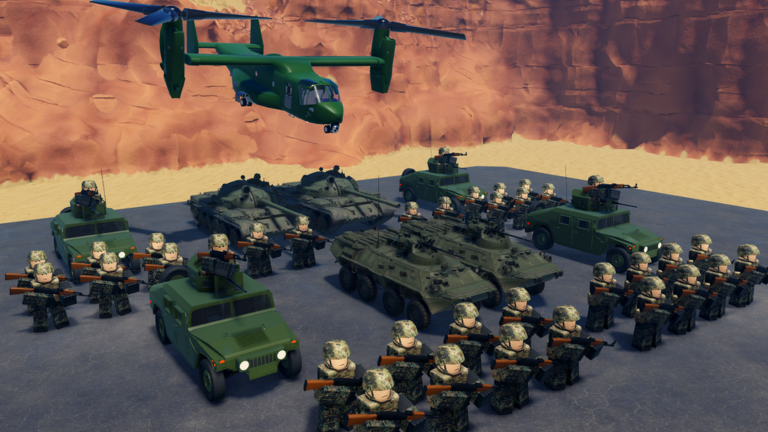
For Army Builder, players build and upgrade a base, unlock soldier squads, equip weapons, compose an army, battle, and capture strategic locations, and progress autosaves, with checked anchors: base, soldier squads, weapons, army composition, strategic locations, autosave.
For Army Builder, the current Orders control commands squads, and a captured early outpost displayed a +10% Income result in launch-window footage, with checked anchors: Orders, Attack, Hold, Follow, Retreat, +10% Income, launch-window.
For Army Builder, current game evidence shows a Barracks and readable Pistol Squad, Rifle Squad, and SMG Squad labels, and it does not establish a complete roster or stats, with checked anchors: Pistol Squad, Rifle Squad, SMG Squad, not a complete roster, no unsupported stats.
Use the checked Roblox screen as the final confirmation. For Army Builder, a first-session path prioritizes droppers and upgraders, then oil containers, before low-impact cosmetic purchases, with checked anchors: recommendation, Droppers, Upgraders, Oil Containers, before low-impact decoration.
Return to the named exact-game source before changing the conclusion. For Army Builder, a first-session path prioritizes droppers and upgraders, then oil containers, before low-impact cosmetic purchases, with checked anchors: recommendation, Droppers, Upgraders, Oil Containers, before low-impact decoration.
Confirm this answer against the dated source. For Army Builder, a first-session path prioritizes droppers and upgraders, then oil containers, before low-impact cosmetic purchases, with checked anchors: recommendation, Droppers, Upgraders, Oil Containers, before low-impact decoration.
Read the dated source record before relying on a current detail. For Army Builder, a first-session path prioritizes droppers and upgraders, then oil containers, before low-impact cosmetic purchases, with checked anchors: recommendation, Droppers, Upgraders, Oil Containers, before low-impact decoration.
Use this reference to see what the checklist can return before changing inputs.
Stop at the first missing readiness layer in the verified Base to Squad to Orders to Objective loop; never calculate combat power or income.
PREPARE BASE · Stabilize production and collection first.
SET ORDERS · Choose and verify the current Orders label.
MOVE OUT · Advance, then verify the live squad and capture result.